Secure Boot & Boot Health Check - Is your PC ready for the new Secure Boot certificates? (Updated Oct 2026)
Description:
Microsoft is replacing the certificates that Secure Boot has used since 2011. The
Microsoft Windows Production PCA 2011 certificate, which signs the Windows boot manager, expires in October 2026. To keep receiving boot security updates, a PC needs the new
Windows UEFI CA 2023 certificate in its firmware, and the boot manager on its hidden EFI system partition needs to be updated as well. Most people have no easy way to see where their PC stands.
Secure Boot & Boot Health Check answers that in one click. It shows a plain green, amber or red answer, explains each check in everyday language and lists what to do next in the order Microsoft recommends. IT staff get the detail behind it: the actual certificates in the firmware, Windows' own update status and event history, and a report to export for clients.
The tool is
read-only. It never changes the firmware, Secure Boot, the boot partition or Windows Update.
How to use:
1. Open the tool. The checks start straight away and take a few seconds. Run FW Admin Tech Tools as administrator for the full check; without administrator rights it uses what Windows reports and skips the firmware certificate list.
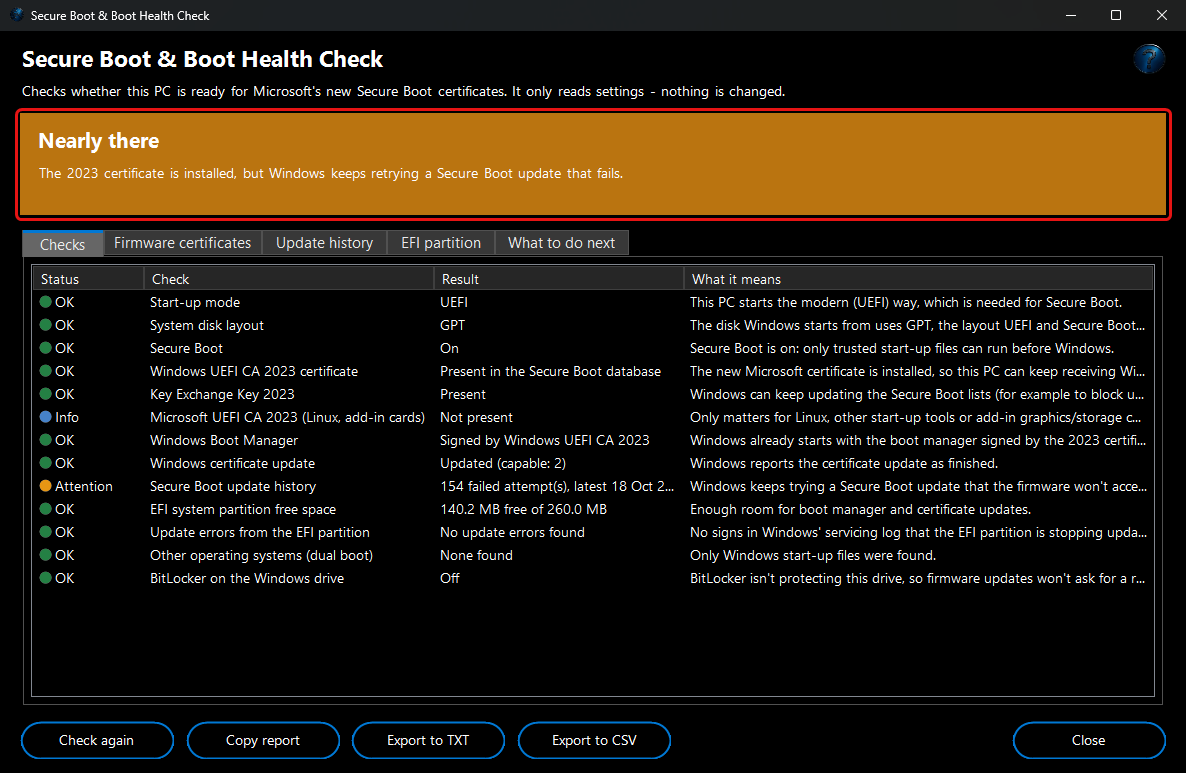
2. Read the coloured banner at the top:
Ready (green),
Nearly there or
Secure Boot is off (amber), or
Certificate update needed /
Boot partition is nearly full (red), with a sentence explaining why.
3. The
Checks tab lists every check with an OK, Attention, Problem or Info result and what it means. Hover over a row to read the full explanation.
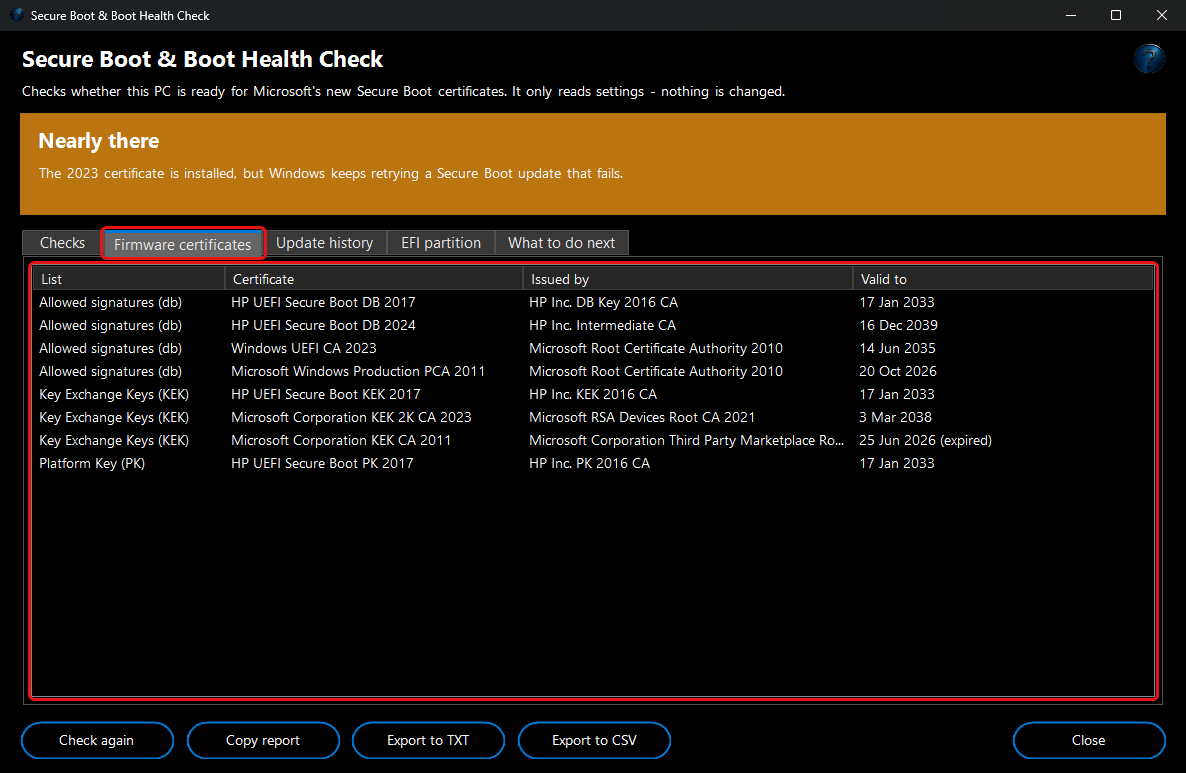
4. Firmware certificates lists the certificates actually stored in your PC's firmware (allowed signatures, Key Exchange Keys and the Platform Key), who issued them and when each one expires.
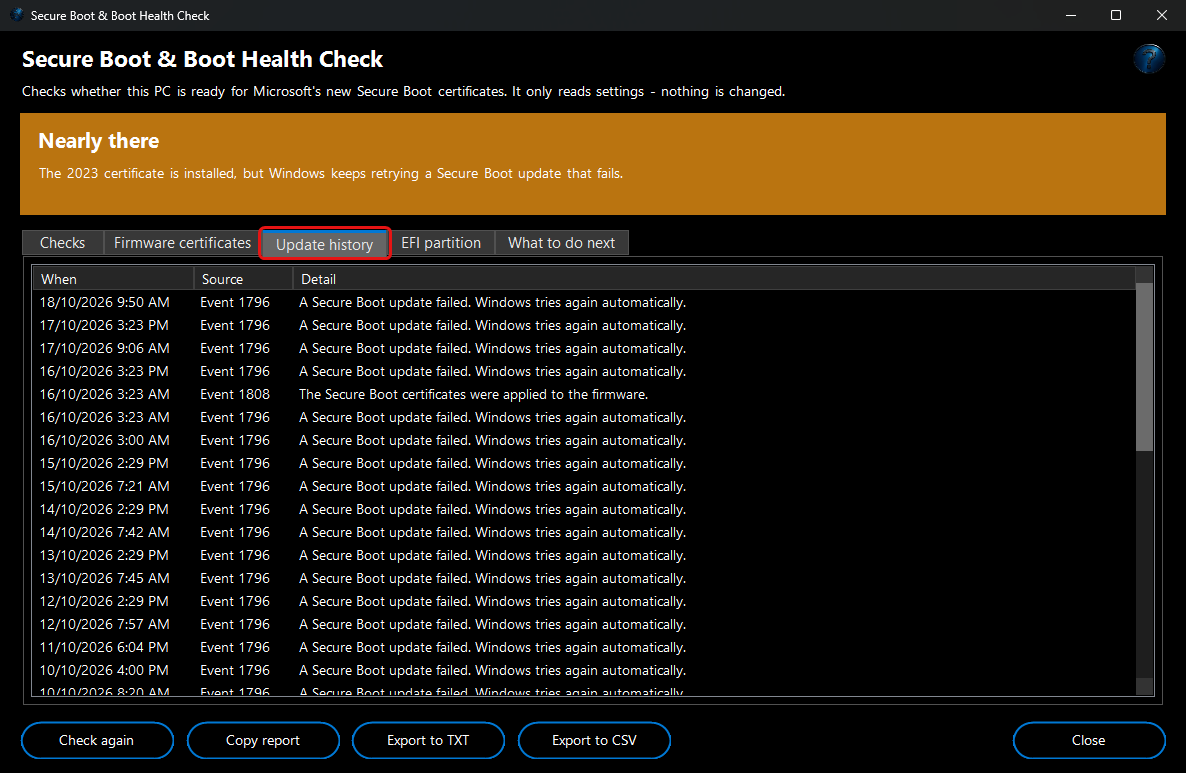
5. Update history shows the Secure Boot update events Windows has recorded, and any servicing-log errors that point at the EFI system partition.
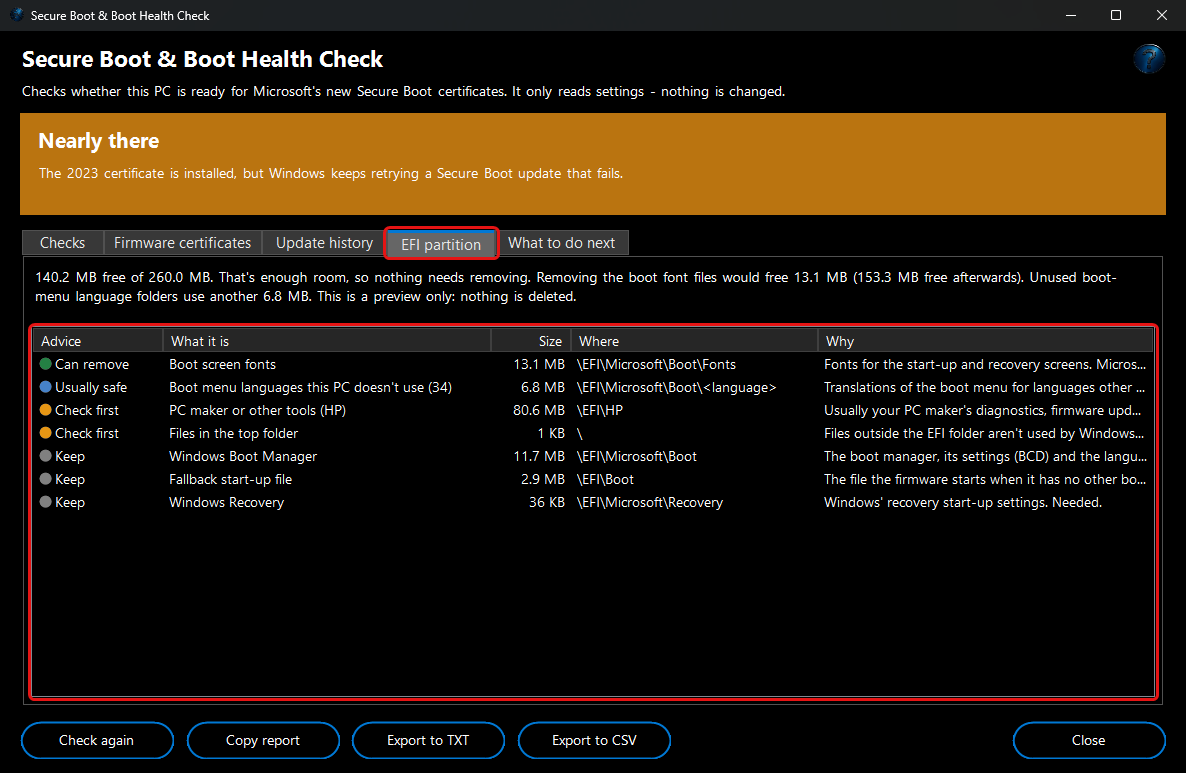
6. EFI partition previews what is using the hidden EFI system partition: the boot screen fonts that Microsoft's own fix for a full partition removes, boot menu languages your PC doesn't use, other systems' boot loaders and your PC maker's tools, and the Windows files that must stay. It shows how much space each would free. It's a preview only — nothing is deleted.
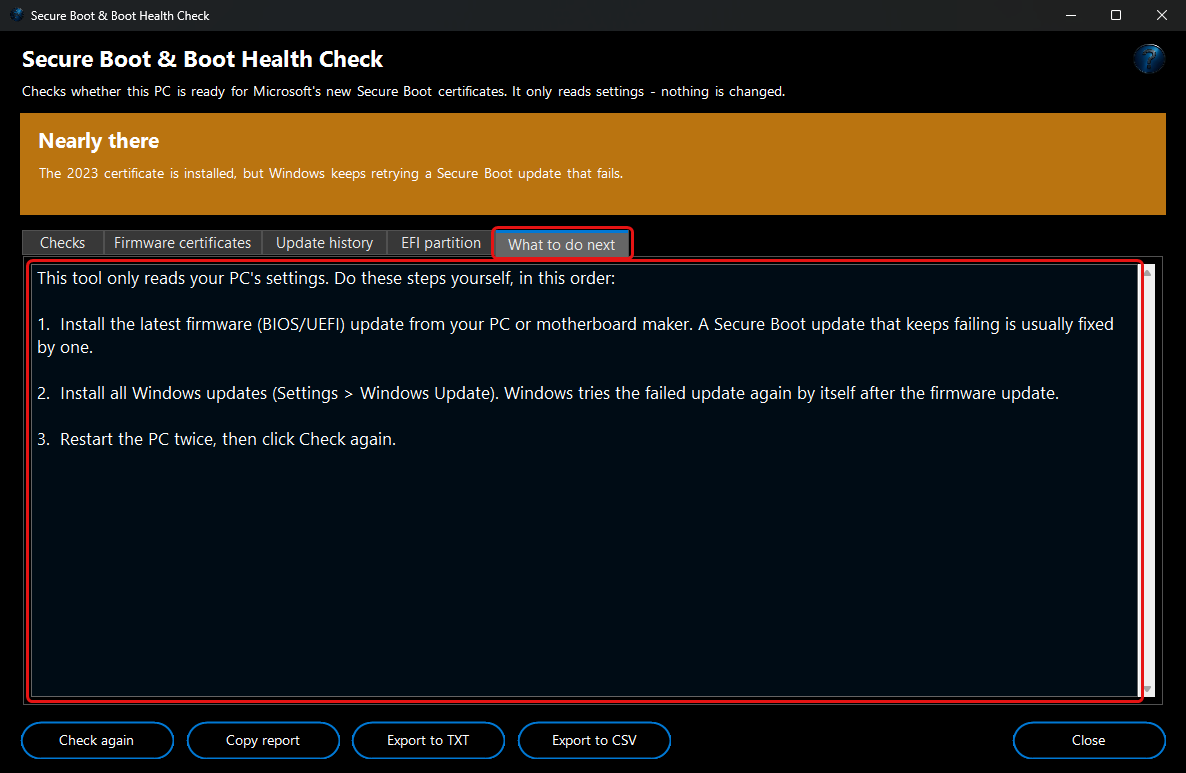
7. What to do next lists the steps for your PC, in the supported order: back up your BitLocker recovery key, install your PC maker's firmware update, then install Windows updates and restart.
8. Use
Copy report,
Export to TXT or
Export to CSV to keep the results or send them to a client or support person, and
Check again after updating.