Windows Repair Wizard - DISM, SFC and CHKDSK, in the right order, in plain English (Updated Oct 2026)
Description:
When Windows starts misbehaving - crashes, failed updates, settings that won't open - the standard fixes are three built-in tools: DISM, SFC and CHKDSK. They have to run in the right order (DISM first, because SFC repairs files from the store DISM fixes), they take a long time, and their output is hard to read. Windows Repair Wizard runs them for you in Microsoft's recommended order, explains each result in plain English and saves every log.
Start with the quick check: it only reads and takes a few minutes. If it finds damage, the full repair fixes it, with a System Restore point first. The tool needs FW Admin Tech Tools to run as administrator.
How to use:
1. Click
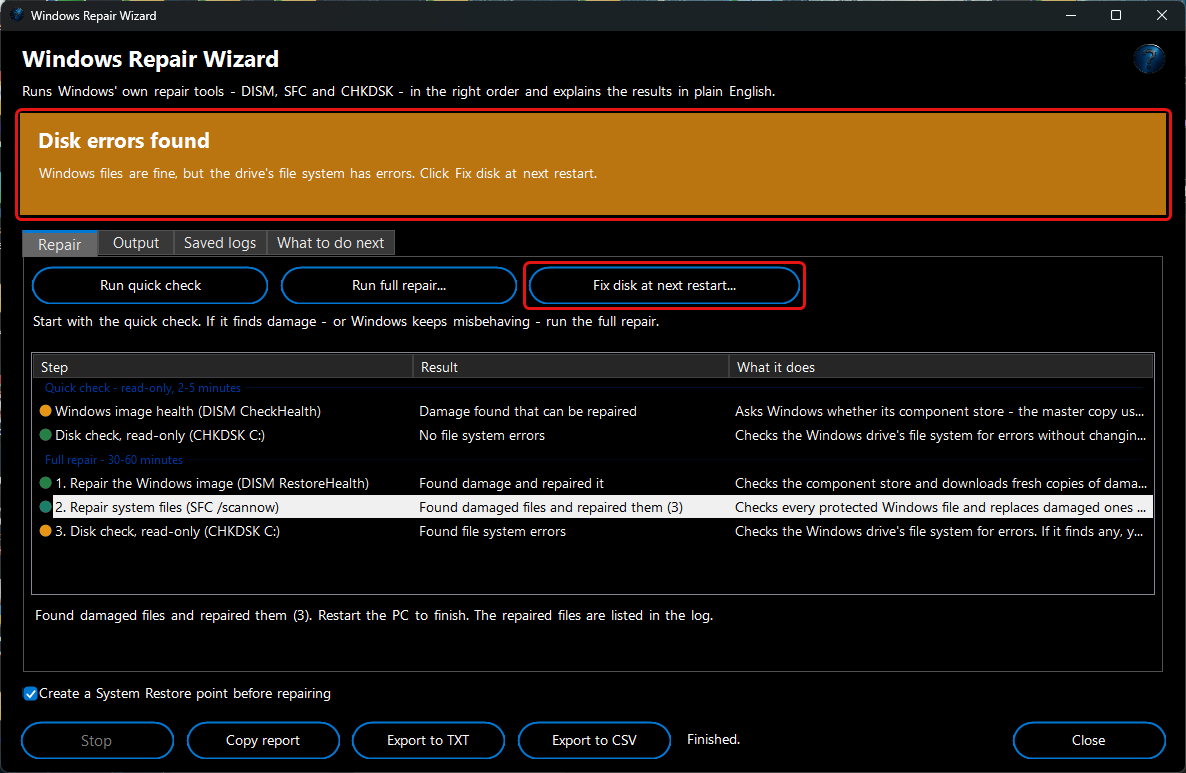
Run quick check (2-5 minutes, changes nothing). It asks Windows whether its component store - the master copy used to repair system files - is damaged (DISM CheckHealth), and checks the Windows drive's file system in read-only mode (CHKDSK).
2. If it finds damage, or Windows keeps misbehaving, click
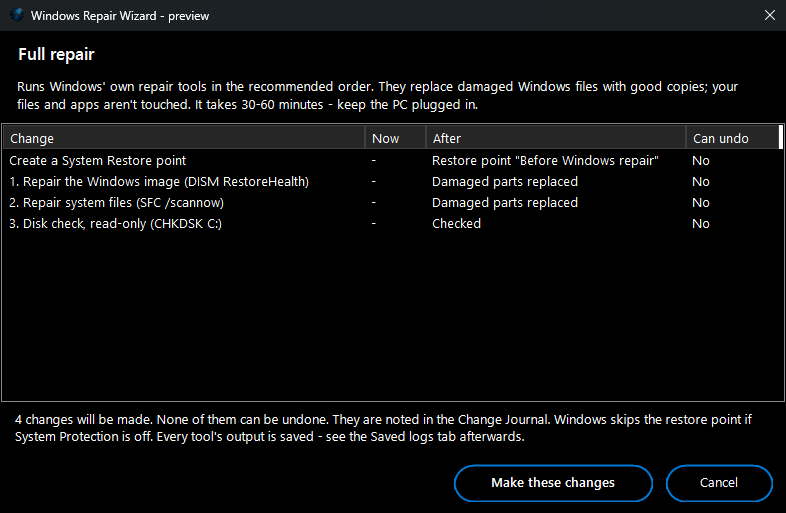
Run full repair… (30-60 minutes). A preview shows what will run: a restore point (if ticked), then DISM RestoreHealth, SFC /scannow and a CHKDSK check. Keep the PC plugged in.
3. Each step's result appears in plain English - for example
No damaged system files,
Found damaged files and repaired them (3) or
Found damaged files and couldn't repair 1 of them. Select a step to read what it means. The banner sums it up.
4. If CHKDSK finds file system errors, click
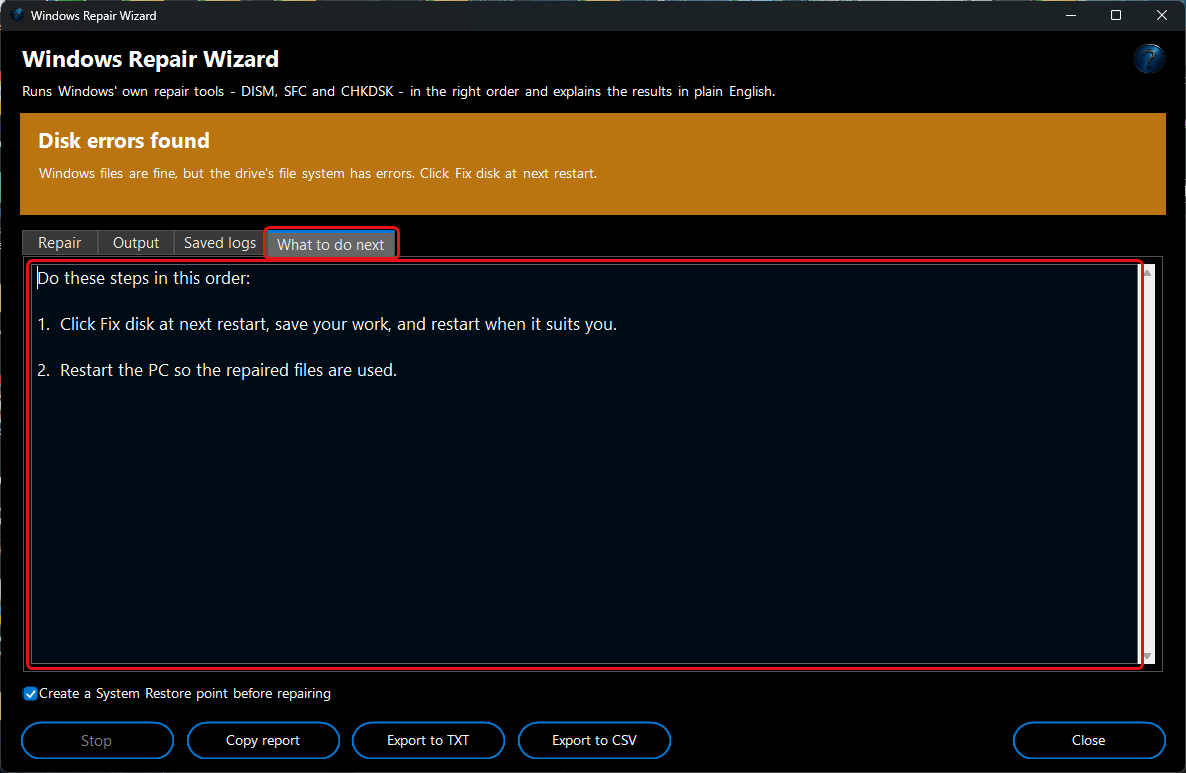
Fix disk at next restart…. The repair runs before Windows starts the next time you restart.
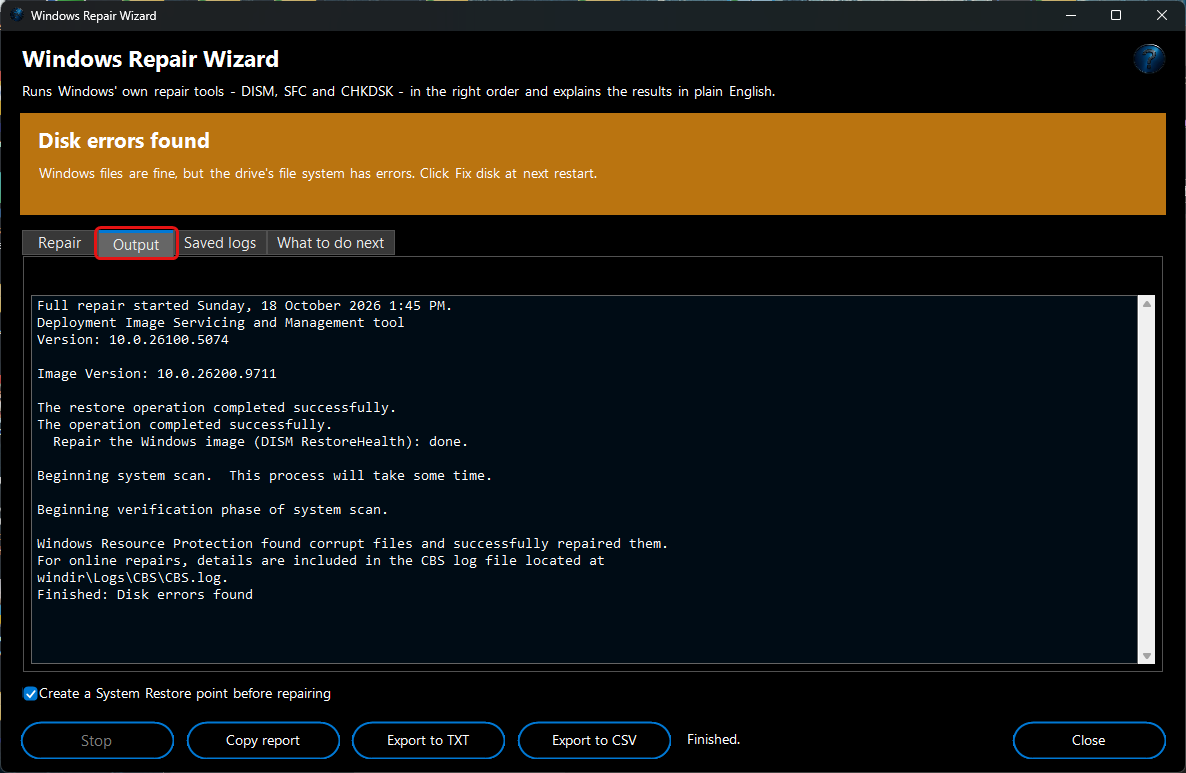
5. Output shows the tools' own text as they run.
Stop stops after the current step - stopping DISM or SFC half-way isn't safe.
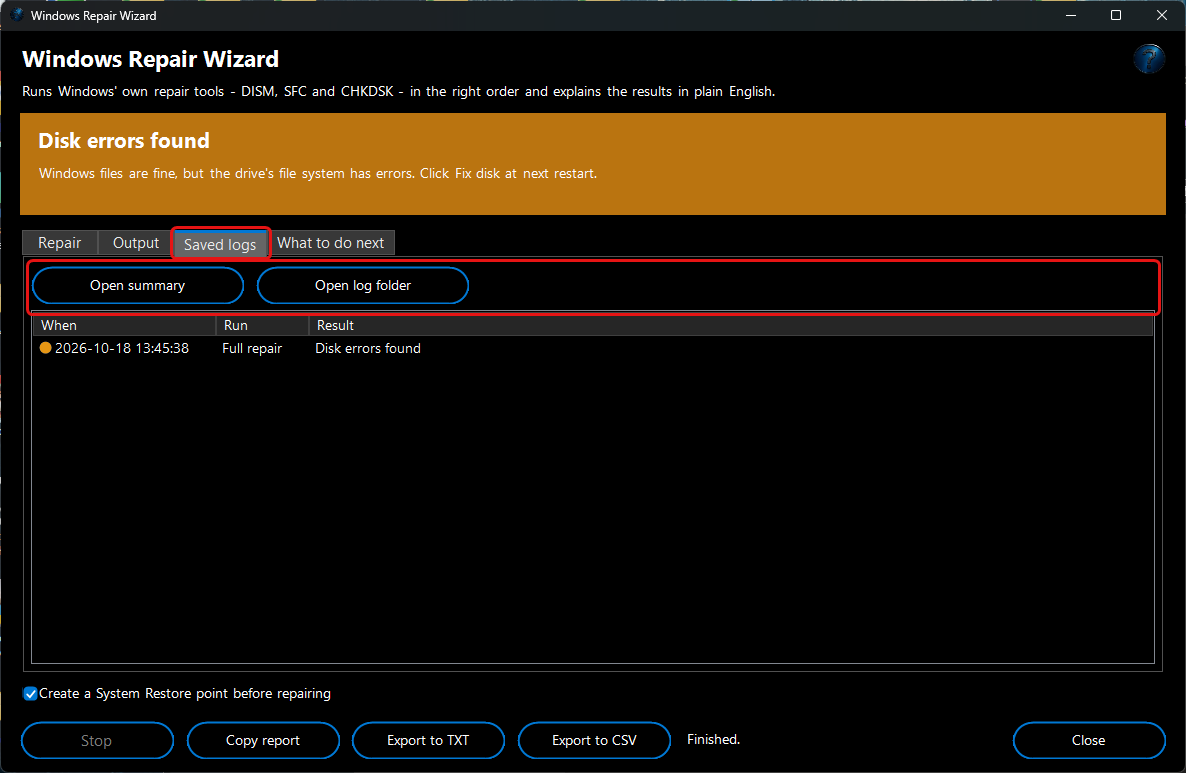
6. Saved logs lists every run.
Open summary shows its plain-English summary;
Open log folder has every tool's full output, including the list of files SFC repaired.
7. What to do next lists the steps for your result, and
Copy report /
Export to TXT /
Export to CSV save it for a ticket or client.